



画像を選ぶ
ロゴ・キャラ・写真など、マイクラ ドット絵にしたい画像をドロップします。
写真を建築できるマイクラドット絵に変換。16〜128(人気は64×64)を選び、2D設計図で編集。PNG / PDF / CSVは無料 · Litematicはログイン後 · 画像はブラウザ内処理。スキンPNGではなくブロック設計図です。
写真やロゴをマイクラのピクセルアート(壁面・地図絵)に変換。ブロック編集と材料数を確認し、PNG・PDF・CSV・Litematicを出力。プレイヤースキンメーカーではありません。プレビューは端末内で完結します。
PNG, printable PDF, and CSV are free without an account. Only .litematic needs a free account. CSV/PNG/PDF work on Java, Bedrock, and console; .litematic is for Java + Litematica.
Click a row to paint with that block. Counts update after every edit.

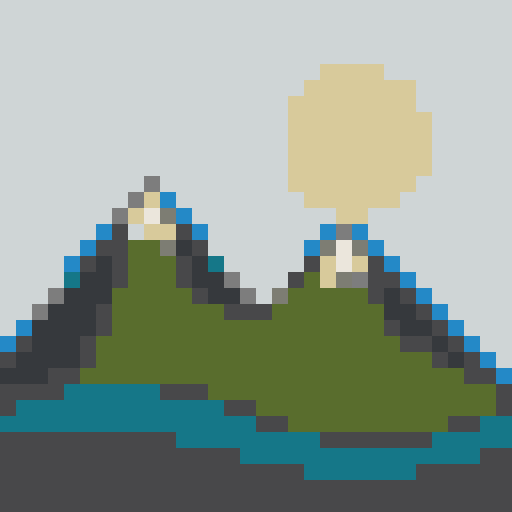
This is a 32×32 wall conversion with 1,024 positions and ten material types. Download gridded PNG, printable PDF and CSV free without an account; only optional wall or flat Litematic export needs free sign-in.
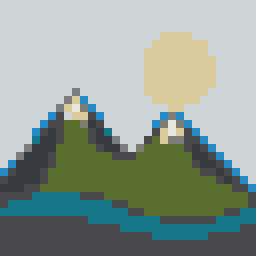
Compare the original source image, the converted preview, the gridded PNG blueprint, and the materials CSV. Full walkthrough: Sunset Mountain case study. Written and technically reviewed by BlockArtLab · Updated November 10, 2026.
Keep exploring BlockArtLab without starting over.
New accounts include one full map: blocks, materials, PNG, CSV, and Litematic. Another map is $1.99 only after that free one is used.
Already have a blueprint from your image? Jump to AI Map Maker for one free generation after sign-up.
Can't draw it? Generate a full map from a prompt — 1 free try after sign-up →IMAGE TO LITEMATICSee a published PNG, CSV and Litematic set before exporting your own wall or flat map file.
Open the Litematic example →ロゴ・キャラ・写真など、マイクラ ドット絵にしたい画像をドロップします。
サイズとパレットを選び、各マスを実在ブロック色へ割り当てます(マイクラドット)。
マス目付きPNG・材料CSVは登録不要。Litematicは無料ログイン後に出力できます。
形式の詳細は画像変換ガイド。壁面のドット絵ならピクセルアート生成。Java版スキーマなら画像からLitematic。
BlockArtLabは、写真・イラスト・ロゴをMinecraft(マイクラ)の実在ブロック色に割り当て、建築できるマイクラドット絵の設計図に変える無料サイトです。ただのフィルターではなく、マスごとのブロックと必要個数まで出るので、サバイバルでも素材集めの目安になります。処理はブラウザ内で完結し、元画像はサーバーへ送信されません。
| サイズ | おおよそのブロック数 | 向いている用途 |
|---|---|---|
| 32×32 | 約1,024 | アイコン、顔文字、小さなキャラ |
| 64×64 | 約4,096 | キャラ・ロゴ・一般的な壁画 |
| 128×128 | 約16,384 | 地図1枚サイズの平置き地図絵 |
| 256×256 | 約65,536 | 大型作品(クリエイティブ向き) |
縦と横を両方2倍にすると材料はおよそ4倍になります。最初は小さめから試し、輪郭が残ることを確認してから拡大するのが安全です。マイクラ 画像をブロックにするときは、被写体を1つに絞ると読みやすい設計図になります。
より詳しい手順はマイクラ ピクセルアート生成、画像からLitematic、画像変換ガイドも参照してください。プロンプトから作りたい場合はAIマップへ進めます。
このマイクラドット絵変換ツールは、画像を集めて置ける実在ブロック設計図にします。壁画は32〜64幅から試し、Survival Friendly / Concrete Only / Full Paletteを比較してから、PNG・PDF・CSV(登録不要)またはLitematic(無料登録)を保存します。
形式の詳細は画像変換ガイド。壁面サイズの考え方はピクセルアート生成。Java版なら画像からLitematic。プロンプトから作るならAIマップ。
マイクラ画像変換ツールを比較する人向けの短い回答です。
Technical references: Litematica source repository and its schematic format guidance.
Picture to Minecraft pixel art: sizes, palettes, and wall-build decisions that keep faces and logos readable.
Image to Minecraft pixel art →Image to Minecraft blocks with export choices: PNG blueprint, CSV materials, and optional Litematic.
Image to Minecraft blocks →Export wall or floor geometry and load a verified sample schematic in the Litematica mod.
Export a Minecraft schematic →